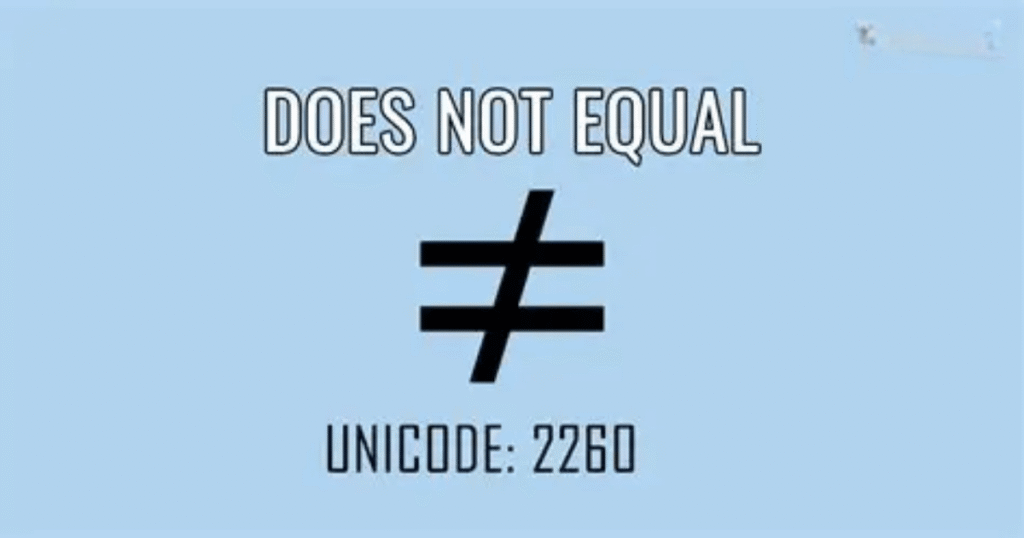

Have you ever seen a math statement and wondered why there is an equal sign with slash through it? It can feel confusing when you are unsure what the symbol means or how to use it correctly. The Does Not Equal Sign is common in mathematics, yet many people still ask, what does ≠ mean and when should they use it?
In this guide, you’ll learn the meaning of the Does Not Equal Sign in simple and clear language. We’ll explain how the symbol works, what the equal sign with slash represents, and where it commonly appears in math. You’ll also understand how ≠ differs from = so you can use both symbols correctly.
Origin of the Symbol
The ≠ symbol has a long history in mathematics. Swiss mathematician Leonhard Euler is often credited with introducing it in the 18th century. He used the symbol to show that two values were not equal. Before this notation became common, mathematicians often had to write longer phrases to express inequality.
Over time, the symbol became widely accepted in mathematical notation. Its simple design made comparisons much easier to read. Today, the Does Not Equal Sign appears in arithmetic, algebra, logic, programming, and many digital tools.
How the Symbol Looks
The ≠ symbol looks like an equals sign with a diagonal line crossing through it. The two horizontal lines show equality while the diagonal line changes its meaning. This clear design tells you that two values are different. You may see the symbol in math problems, equations, comparisons, textbooks, calculators, and digital learning tools.
The symbol is written as ≠ and should not be confused with the regular equals sign (=). The equals sign shows that two values are the same while ≠ shows they are different. Its simple shape makes the Does Not Equal symbol easy to recognize when reading mathematical expressions or comparing numbers and values.
Common Uses in Mathematics
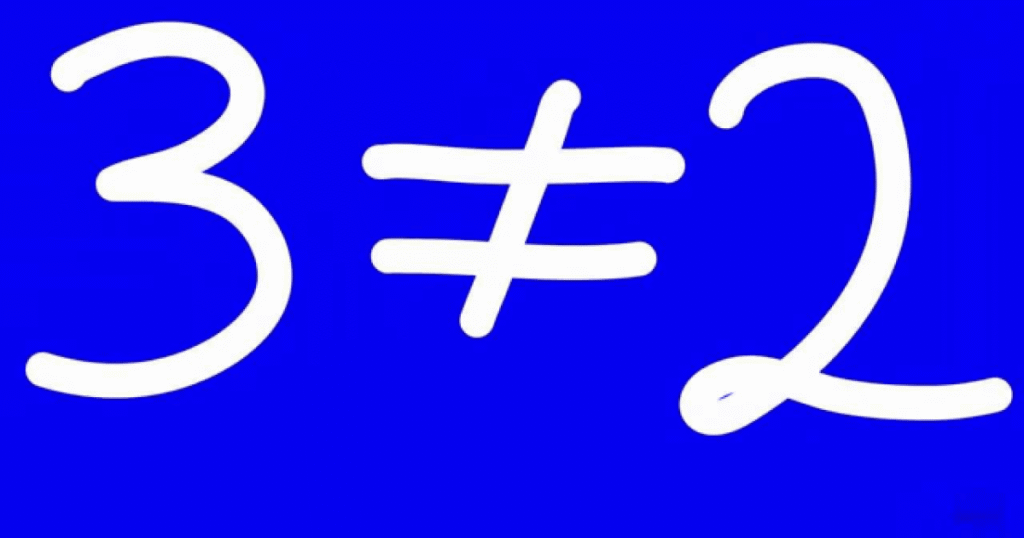
A single symbol can completely change the meaning of a mathematical statement. The ≠ symbol is especially useful when you need to show that two values are different. From simple number comparisons to algebraic formulas and inequalities, the Does Not Equal Sign helps make mathematical relationships clear. Let’s look at how it works in everyday calculations and more advanced problems.
Basic Arithmetic Examples
In basic arithmetic, the ≠ symbol shows that two calculations produce different results. For example, 8 + 3 ≠ 15 because 8 + 3 equals 11. You can also compare values directly, such as 7 ≠ 9. This makes the symbol useful when checking calculations, comparing numbers, or explaining why two mathematical expressions do not have the same value.
Algebraic Expressions
Algebra uses the ≠ symbol to show that two expressions have different values. For example, x + 4 ≠ x + 7 because the expressions differ by 3. The symbol can also appear when a specific value is excluded. If x ≠ 5, it means x can have many values but cannot be 5. This helps define mathematical conditions clearly.
Inequalities
Inequalities compare values that are not necessarily equal. The ≠ symbol is one way to express this difference, while symbols such as < and > provide more specific information. For example, x ≠ 10 simply means x is not 10. However, x > 10 tells you that x must be greater than 10. Each symbol provides a different level of information.
Equations and Mathematical Conditions
The Does Not Equal symbol is often used when a mathematical condition excludes a particular result. For example, in a problem stating x² ≠ 25, the expression tells you that x cannot produce 25. Such conditions are helpful in equations, formulas, and problem-solving because they clearly identify values that are not allowed.
Why the Symbol Matters
The ≠ symbol may look simple, but it prevents important misunderstandings in mathematics. Changing = to ≠ can completely change a statement’s meaning. Think of it like a road sign that says a certain path is closed. It quickly tells you what relationship does not exist, making calculations, comparisons, and mathematical reasoning easier to understand.
Use in Programming
Programming often needs a quick way to check whether two values are different. That is where the not equal operator becomes useful. Instead of writing a long explanation, programmers use a simple operator to compare values. Although the exact format changes between languages, the basic idea stays the same: the program checks whether two values do not match.
Common Programming Formats
Different programming languages use different forms for the not equal operator. Many languages use !=, including Python, Java, JavaScript, C++, and PHP. Some environments also support <> for comparisons. These operators return a result such as true or false, helping a program decide what action to take when two values are different.
Using != in Conditions
The != operator is commonly used inside conditional statements. For example, age != 18 checks whether the value of age is different from 18. If the condition is true, the program can perform a specific action. This makes the operator useful for login checks, validation, user choices, and many other everyday programming tasks.
Not Equal in Python
Python uses != to compare values that are not equal. For example, name != “Ali” checks whether the stored name differs from Ali. If the values are different, Python returns True; if they match, it returns False. This simple comparison can be combined with if statements to control how a program responds.
Not Equal in Other Languages
Languages can express inequality in slightly different ways. JavaScript, Java, C, and C++ commonly use !=, while some languages provide additional operators for strict comparisons. For example, JavaScript uses !== when both value and data type must differ. Understanding these small differences helps prevent unexpected results when comparing numbers, text, or other data.
Why Not Equal Matters in Code
The not equal operator may look small, but it plays an important role in decision-making. Programs constantly compare information before choosing what to do next. Whether checking a password, filtering data, or validating input, != helps identify values that do not match. In simple terms, it tells the computer, “these two values are different.”
Read More : Acura Symbol: Meaning, History, Design, Colors & Logo Evolution
Use in Logic and Reasoning
Logic and reasoning often depend on clear comparisons. The Does Not Equal Sign helps show when statements, values, or conditions differ. This makes logical relationships easier to understand and analyze.
| Logic and Reasoning Point | Explanation |
| Shows difference | The ≠ symbol indicates that two values or statements are not equal. |
| Supports logical comparisons | It helps compare different values when making logical decisions. |
| Expresses conditions | A condition such as x ≠ 0 excludes zero from possible values. |
| Used in problem-solving | It helps identify situations where two results do not match. |
| Helps avoid assumptions | The symbol clearly shows that two items should not be treated as equal. |
| Supports mathematical logic | It can be used when evaluating relationships between numbers and expressions. |
| Used in programming logic | The != operator checks whether two values are different. |
| Defines restrictions | It can identify values that are not allowed in a particular situation. |
| Improves clarity | The symbol communicates inequality quickly without using lengthy explanations. |
| Supports decision-making | Logical systems can use unequal conditions to determine which action should happen next. |
Keyboard Shortcuts and Typing
Typing the ≠ symbol can feel tricky when it is missing from your keyboard. Fortunately, you have several easy options. Windows, Mac, HTML, and Microsoft Word each provide different ways to insert it. Once you know the right shortcut or code, adding the Does Not Equal symbol becomes quick and convenient.
Windows
On Windows, you can insert the ≠ symbol using an Alt code when your keyboard supports a numeric keypad. Hold the Alt key and type 8800 on the numeric keypad, then release Alt. You can also use Character Map to find and copy the symbol. This is useful when the keyboard shortcut is unavailable.
Mac
Mac users can type the ≠ symbol with a simple keyboard shortcut. Press Option + = to insert it directly into many apps that support standard Unicode characters. This method is faster than searching through special characters. If the shortcut does not work in a particular application, you can use the Character Viewer to locate and insert ≠.
HTML Code
Web developers can add the ≠ symbol to an HTML page using a character entity. The code ≠ displays as ≠ when the browser renders the page. You can also use the Unicode format ≠. These methods are helpful when creating websites, online lessons, mathematical resources, or pages that need accurate mathematical notation.
Microsoft Word
Microsoft Word offers several convenient ways to insert the ≠ symbol. Type 2260 and then press Alt + X to convert the Unicode code into ≠. You can also select Insert > Symbol and choose the symbol from the available characters. This approach works well when writing assignments, reports, formulas, or educational documents.
Quick Copy and Paste
If you need the symbol only once, copying it can be the fastest solution. Here it is: ≠. You can copy and paste it into emails, documents, spreadsheets, messages, or online forms. Knowing several methods is helpful because keyboard layouts and software can behave differently. Choose the option that feels easiest for your device.
Practical Applications
The ≠ symbol is not limited to classroom exercises. It also helps people compare information in real-world situations where values need to be different. From checking datasets to testing engineering limits, the Does Not Equal symbol can make conditions easier to understand and communicate clearly.
Data Analysis
In data analysis, the ≠ symbol helps identify records that do not match a specific value. For example, an analyst might filter a dataset where status ≠ “Completed.” This can quickly separate unfinished records from completed ones. Similar comparisons are useful in spreadsheets, databases, surveys, and reporting tools when analysts need to find exceptions or unusual entries.
Engineering
Engineers use inequality conditions when designing systems that must meet specific requirements. For example, a component may need a measurement that is not equal to a particular value to avoid an unwanted operating condition. The Does Not Equal symbol can appear in calculations, technical documentation, software controls, and design specifications where different values need to be clearly distinguished.
Finance
Finance professionals often compare values when reviewing transactions, budgets, or financial records. A condition such as account status ≠ “Closed” can help identify active accounts. Similarly, analysts can use inequality operators when filtering financial data. These comparisons make it easier to spot differences, exceptions, and records that require further attention during financial analysis.
Science
Science relies heavily on comparisons because researchers often need to determine whether measurements, samples, or experimental conditions differ. For example, a study may compare two groups where one result is not equal to another. The ≠ symbol can appear in formulas, research notes, laboratory software, and scientific reports to clearly show that two measured values are different.
Everyday Value of the Symbol
Although the ≠ symbol looks simple, it supports accurate comparisons across many fields. It can help separate records, identify unusual results, and define conditions that should not match. Whether you are working with numbers, measurements, or digital data, understanding the Does Not Equal symbol makes comparisons clearer and reduces confusion.
Read More : ISTG Meaning in Text: What It Means & How to Reply
Differences Between Equals and Not Equals
The equals and not-equals symbols may look similar but they communicate opposite relationships. Understanding their differences helps you read equations correctly and avoid mistakes in mathematics, programming, and data comparisons.
| Equals (=) | Not Equals (≠) |
| Shows that two values are the same. | Shows that two values are different. |
| Example: 5 = 5 | Example: 5 ≠ 7 |
| Confirms equality between expressions. | Confirms inequality between expressions. |
| Commonly used in equations. | Commonly used in comparisons and conditions. |
| Means both sides have the same value. | Means both sides do not have the same value. |
| Can show a mathematical solution. | Can exclude a specific value from a solution. |
| Used in statements such as x = 10. | Used in statements such as x ≠ 10. |
| In programming, = often assigns a value. | In programming, != usually checks for inequality. |
| It represents equality in mathematical notation. | It represents inequality in mathematical notation. |
| Reversing the symbols can completely change a statement’s meaning. | Replacing it with = can produce the opposite meaning. |
Visual Examples of Usage
The Does Not Equal symbol becomes easier to understand when you see it in real examples. These simple examples show how ≠ works in math, algebra, comparisons, and everyday calculations.
- Basic numbers: 8 ≠ 12 shows that eight and twelve have different values.
- Arithmetic: 5 + 4 ≠ 12 because the left side equals 9.
- Algebra: x ≠ 7 means x cannot have the value 7.
- Comparison: 20 ≠ 25 clearly shows that both numbers are different.
- Fractions: 1/2 ≠ 2/3 because these fractions have different values.
- Measurements: 10 cm ≠ 15 cm shows that the measurements are unequal.
- Programming: age != 18 checks whether the age is different from 18.
Common Mistakes to Avoid
Using the Does Not Equal symbol correctly is important for clear mathematical statements. A few simple mistakes can change the meaning of an equation. Keep these common errors in mind when using ≠.
- Confusing ≠ with =: Remember that ≠ means two values are different while = means they are equal.
- Using it without checking values: Make sure the two sides actually have different values before using ≠.
- Mixing programming operators: In many programming languages, != means not equal rather than the mathematical symbol ≠.
- Reversing the meaning: Do not assume ≠ means one value is greater or smaller. It only shows they are different.
- Ignoring calculations: Always calculate both sides before deciding whether they are equal or unequal.
- Using the wrong keyboard symbol: Check that you have inserted ≠ instead of a similar-looking character.
- Forgetting context: The symbol can have different formats in mathematics, programming, and digital tools, so use the correct notation.
Role in Education
The ≠ symbol plays an important role in helping students understand mathematical comparisons. Teachers use it to show that two numbers or expressions have different values. Students learn to distinguish equality from inequality through simple examples. This builds a stronger understanding of arithmetic, algebra, equations, and mathematical reasoning while reducing confusion between similar symbols.
Learning the Does Not Equal Sign also prepares students for more advanced topics. It appears in algebraic conditions, inequalities, logic, and computer programming. By practicing with real examples, students learn how small symbols can change meaning. This skill supports accurate problem-solving and helps them read mathematical statements with greater confidence.
Symbol in Digital Tools
The ≠ symbol appears in many digital tools that handle numbers and comparisons. You may find it in spreadsheets, calculators, coding platforms, educational apps, and data analysis software. These tools use the symbol to show that two values are different. It helps users create formulas, filter information, check conditions, and understand mathematical relationships more easily.
Typing the Does Not Equal Sign can vary between applications and devices. Some tools support the symbol directly while others use operators such as !=. Spreadsheets may also provide inequality options when creating formulas or filters. Knowing these formats helps you work more accurately with digital tools and prevents errors when entering mathematical or logical conditions.
Unicode and Encoding
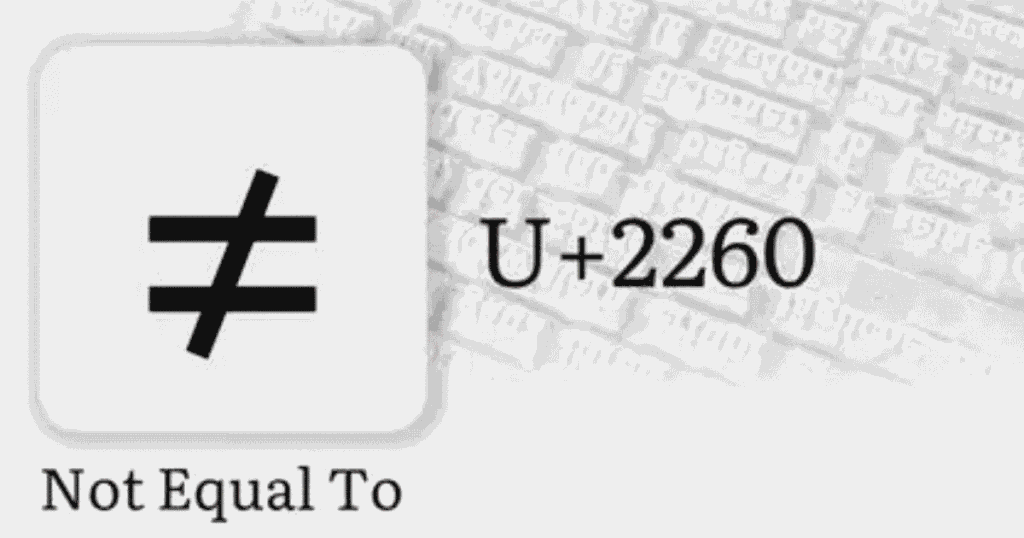
Unicode and encoding help computers store and display mathematical symbols correctly across different devices and platforms. Understanding these details makes it easier to use, copy, and share the ≠ symbol.
| Unicode and Encoding Point | Details |
| Unicode character | The ≠ symbol is a standard Unicode character. |
| Unicode code point | Its Unicode code point is U+2260. |
| HTML entity | You can display it in HTML using ≠. |
| Decimal HTML code | The decimal format is ≠. |
| Hexadecimal HTML code | The hexadecimal format is ≠. |
| Character display | Unicode allows ≠ to appear consistently across supported systems. |
| Copy and paste | You can copy ≠ between many applications without changing its meaning. |
| Programming | Programming languages may use != instead of the Unicode ≠ character. |
| Digital documents | Word processors and educational software can store ≠ as Unicode text. |
| Encoding support | Modern encodings such as UTF-8 can represent the ≠ character correctly. |
Why the Symbol Matters
The ≠ symbol makes mathematical comparisons clear and easy to understand. Instead of writing a long explanation, you can use one simple character to show that two values are different. The Does Not Equal Sign appears in arithmetic, algebra, logic, programming, and data analysis. Its clear meaning helps readers understand mathematical statements quickly and accurately.
This symbol also prevents mistakes when comparing numbers, expressions, or conditions. A small change from = to ≠ can completely change a statement’s meaning. Students, programmers, engineers, and researchers use it to communicate differences clearly. Understanding the symbol builds stronger mathematical skills and makes it easier to work with equations, formulas, digital tools, and logical conditions.
Advanced Usage in Mathematics
Advanced mathematics uses the Does Not Equal Sign to express restrictions, conditions, and relationships between complex expressions. It helps define values that cannot satisfy a particular mathematical condition.
- Domain restrictions: x ≠ 0 can show that zero is excluded from a function’s domain.
- Algebraic conditions: Equations may include x ≠ 5 to exclude a specific solution.
- Functions: A function can use ≠ to identify values where a particular rule does not apply.
- Fractions: In expressions such as 1/x, the condition x ≠ 0 prevents division by zero.
- Inequality systems: The symbol can work with other inequality signs to describe allowed or restricted values.
- Proofs: Mathematicians may use ≠ when demonstrating that two expressions cannot have the same value.
- Set theory: The symbol can indicate that two elements, values, or expressions are different within mathematical sets.
Frequently Asked Questions
How to type ≠ on a keyboard?
Copy ≠ directly or use Character Map. The Does Not Equal Sign can also be inserted through Word’s symbol menu.
What sign is this ≠?
The ≠ symbol is the Does Not Equal Sign. It shows that two numbers, expressions, or values are different.
What does ≠ mean in text?
In text, ≠ means not equal or different. The Does Not Equal Sign compares values, conditions, or mathematical expressions.
How does ≠ differ from !=?
The ≠ symbol is mathematical notation, while != is commonly used as the not-equal operator in programming languages.
What is a ≠ in math?
In math, ≠ means two values are not equal. The Does Not Equal Sign shows that both sides differ.
What does != mean?
!= means not equal in many programming languages. It checks whether two values differ, similar to the Does Not Equal Sign.
What is the Unicode for ≠?
The Unicode code point for ≠ is U+2260. It identifies the Does Not Equal Sign across digital systems.
How to write I love you in math?
You can write I ♥ you creatively with symbols. The Does Not Equal Sign does not represent love or affection.
What does ∩ mean in math?
The symbol ∩ represents the intersection of sets. It shows shared elements and differs from the Does Not Equal Sign.
What is ∈ or ∉?
The symbol ∈ means belongs to a set, while ∉ means does not. Neither represents the Does Not Equal Sign.
Conclusion
The Does Not Equal Sign is a simple symbol with a clear purpose. It shows that two values are different. You may see the equal sign with slash in math, algebra, programming, science, and digital tools. Understanding what does ≠ mean can help you read comparisons and mathematical statements correctly without confusion.
The Does Not Equal Sign is also useful when checking formulas, conditions, and data. In programming, != often has a similar meaning. Learning these different forms makes mathematical work easier and more accurate. Although the symbol looks simple, it plays an important role in showing differences between numbers, expressions, and values.