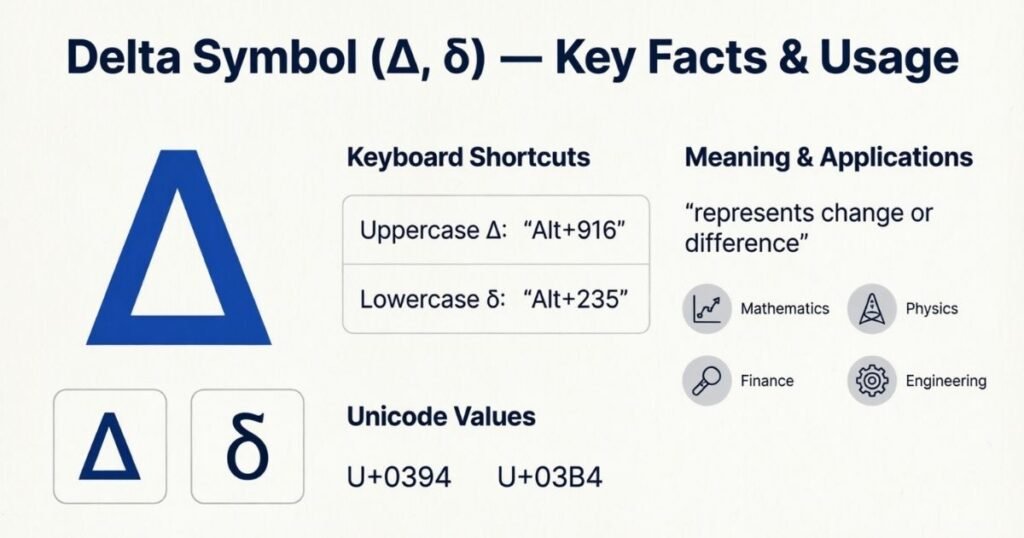

Have you ever needed the Delta Symbol for a math problem, science assignment, or document but couldn’t find it quickly? It’s frustrating when a simple sign takes too long to locate. Many people search for delta copy paste options when they need the character fast. With the right method, you can find and use it without hassle.
This guide keeps everything simple and practical. You’ll learn how to copy delta characters, type them on different devices, and understand their common uses. Whether you need a delta copy symbol for mathematics, physics, engineering, or everyday writing, the Delta Symbol is easy to access once you know where to look.
Copy and Paste Delta Symbols
If you need a delta character quickly, copying it is the easiest option. The capital form is Δ, while the lowercase form is δ. You can select either symbol, copy it, and paste it into your document, message, or website. This method works well when typing Greek letters directly from a keyboard feels difficult.
These symbols are useful in mathematics, science, engineering, and everyday writing. You can also use them in social media posts or usernames. Keep Δ for uppercase uses and δ for lowercase uses. Both are Unicode characters, so they usually work across modern apps, websites, and digital devices.
Delta Symbol in Mathematics
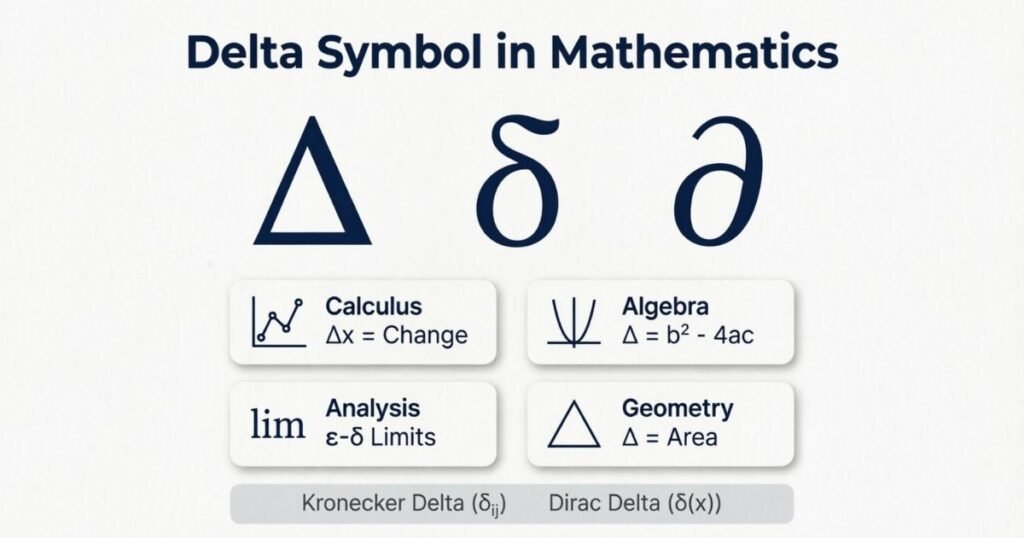
In mathematics, delta is often used to show a change or difference between two values. The capital form, Δ, commonly represents a finite change. For example, Δx can mean the change in x between two points. Students may see this notation in algebra, geometry, calculus, and other areas where comparing values is important.
The symbol can make mathematical expressions shorter and easier to understand. Suppose a value changes from 10 to 15. You could write Δx = 5 to show the difference. This simple notation helps describe movement, growth, reduction, or variation without writing a long explanation. Its exact meaning depends on the equation and context.
Lowercase δ can have a different meaning in advanced mathematics. It may represent a small change, a variable, or another specialized concept. Because notation varies between subjects, you should always consider the surrounding formula. Understanding these differences helps you read mathematical expressions correctly and avoid confusing capital Delta with lowercase delta when solving problems.
Delta Symbol in Science
In science, delta often represents a change, difference, or variation in a measured value. You may see it in physics, chemistry, biology, and environmental studies. For example, ΔT can show a change in temperature. The meaning depends on the field and the formula, so always check how researchers or scientists define the symbol.
Common scientific uses include:
- Physics: Shows changes in temperature, energy, or other measurements.
- Chemistry: Represents changes during reactions or processes.
- Biology: Can describe differences between measurements or conditions.
- Environmental science: Helps show changes in climate or natural systems.
- Science formulas: Makes changes between starting and ending values easier to express.
Delta in Engineering
In engineering, delta often represents a change, difference, or variation between two values. Engineers use it in formulas, diagrams, and technical calculations. For example, ΔP can represent a change in pressure, while ΔT may show a temperature difference. Its meaning depends on the engineering field and the specific equation being used.
Common uses include:
- Mechanical engineering: Shows changes in force, motion, or temperature.
- Electrical engineering: Represents voltage or other changing quantities.
- Civil engineering: Describes differences in measurements or loads.
- Chemical engineering: Shows changes in pressure, temperature, or concentration.
- Engineering formulas: Helps present complex changes in a clear and compact way.
Read More : Square Root Symbol: Copy, Paste, Alt Code & Keyboard Shortcuts
Delta Symbol Alt Codes
If you’re using Windows, Alt codes can help you enter Greek characters without copying them from another page. However, Delta has different methods depending on whether you need uppercase Δ or lowercase δ. These shortcuts are especially useful in documents, notes, and mathematical work.
| Symbol | Name | Unicode | Common Windows method |
| Δ | Capital Delta | U+0394 | Alt + 916 in supported applications |
| δ | Lowercase Delta | U+03B4 | Alt + 948 in supported applications |
| ∆ | Increment symbol | U+2206 | Alt + 8710 in supported applications |
For reliable results, Unicode input is often better than traditional Alt codes. In Microsoft Word, you can type the Unicode value, such as 0394, and press Alt + X to produce Δ. For lowercase delta, type 03B4 and press Alt + X to produce δ.
Delta on Mac
Typing the Delta on a Mac is simple once you know the right method. You can use the Character Viewer to find Greek letters and special characters. Press Control + Command + Space to open it. Search for Delta, then double-click Δ or δ to insert it into your text.
You can also use these easy methods:
- Character Viewer: Search Delta and select your preferred symbol.
- Copy and paste: Copy Δ or δ from a trusted source.
- Word or Pages: Use the Insert menu to find special characters.
- Unicode search: Search for the Delta character within Character Viewer.
- Keyboard replacement: Create a custom text shortcut for frequent use.
Delta Symbol on Mobile Devices
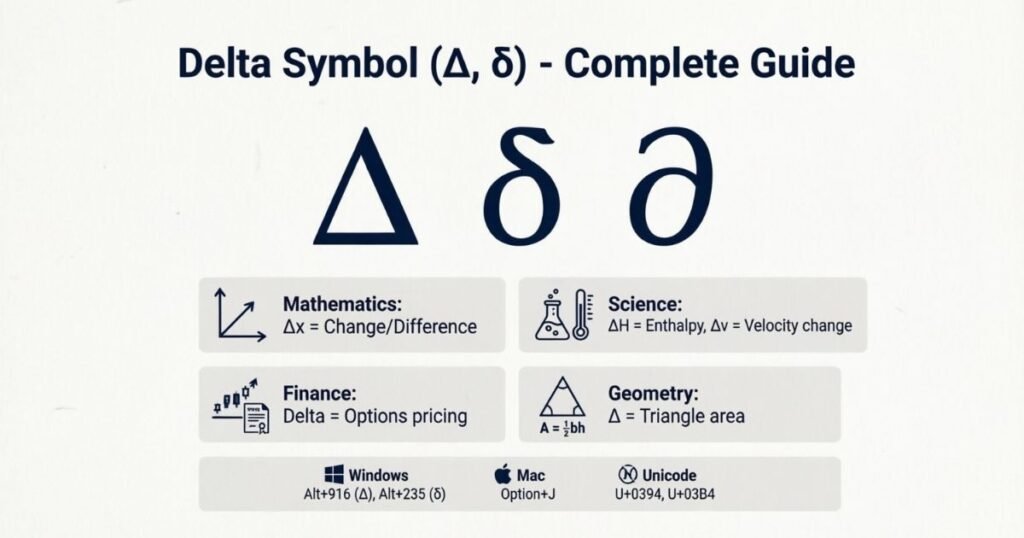
Typing Greek characters on a phone doesn’t have to be difficult. You can use the Delta by copying it from a webpage or using your phone’s special character options. Both Android and iPhone devices support Unicode characters, so Δ, δ, and ∆ can usually appear correctly in messages, notes, apps, and social media.
Here are simple ways to type it:
- Copy and paste: Copy Δ or δ and paste it where needed.
- iPhone: Use Character Viewer alternatives or text replacement for frequent use.
- Android: Try the symbols section on your keyboard.
- Text replacement: Create a shortcut that automatically inserts your chosen character.
- Social media: Paste the symbol directly into bios, captions, and usernames.
Delta Symbol on Mac
Typing the Delta on Mac is easy when you know where to look. The quickest method is Character Viewer. Press Control + Command + Space to open it. Search for Delta and select Δ or δ. You can then insert the character into documents, emails, notes, or other apps without using complex shortcuts.
You can also use these simple options:
- Character Viewer: Search Delta and choose the needed symbol.
- Copy and paste: Copy Δ or δ from another source.
- Pages or Word: Use the special character or symbol menu.
- Text shortcuts: Create a shortcut for frequent typing.
- Unicode: Use Unicode information to identify the correct character.
Delta Symbol for Social Media
The Delta can add a clean and unique touch to social media profiles. You can use Δ or δ in bios, captions, usernames, and posts. Many users choose these Greek characters because they look different from standard letters. They can also represent change, growth, strength, or a personal idea.
Here are some common uses:
- Instagram bios: Add Δ for a simple creative look.
- Usernames: Use it to make a profile name stand out.
- Captions: Include it when discussing change or progress.
- Social media posts: Pair it with text, numbers, or symbols.
- Creative profiles: Use Δ or δ to create a distinctive style.
Difference Between Δ and ∆
Δ and ∆ look almost identical, but they are different Unicode characters. Δ is the Greek capital letter Delta, while ∆ is the mathematical increment symbol. Their meanings can overlap in some contexts, so the surrounding formula or subject usually tells you which character is intended.
The interpretation may vary depending on the situation:
| Aspect | Δ | ∆ |
| Character type | Greek capital letter | Mathematical increment symbol |
| Unicode | U+0394 | U+2206 |
| Common use | Greek letter and mathematical notation | Change or increment notation |
| Appearance | Triangle-shaped | Triangle-shaped |
| Mathematics | Often represents a finite change | Can represent increment or difference |
| Copy and paste | Works as a Greek character | Works as a mathematical symbol |
| Best use | Greek text, formulas, and general notation | Technical and mathematical contexts |
In everyday writing, the two may look interchangeable. However, they have different Unicode identities. Using the correct character is helpful when accuracy matters, especially in mathematics, science, engineering, and digital documents.
Delta Symbol Unicode Information
Unicode gives each delta character its own code point. This helps computers identify, display, copy, and process the correct Greek or mathematical character across different apps, websites, and devices.
| Aspect | Information |
| Capital Delta | Δ is the Greek capital letter Delta. |
| Lowercase Delta | δ is the Greek lowercase letter Delta. |
| Capital Unicode | U+0394 identifies capital Delta. |
| Lowercase Unicode | U+03B4 identifies lowercase Delta. |
| Increment symbol | ∆ uses Unicode U+2206. |
| Character category | Δ and δ belong to the Greek and Coptic Unicode block. |
| Mathematical use | Delta characters commonly appear in mathematical formulas. |
| Copy and paste | Unicode allows these characters to work across many digital platforms. |
| HTML use | You can represent Delta with Unicode-based HTML entities or numeric references. |
| Font support | Appearance can change slightly depending on the font and device. |
Delta Symbol in Excel and Word
Need a delta character in a document or spreadsheet? You don’t need to hunt through endless symbols. Microsoft Word and Excel both offer simple ways to insert Δ or δ, whether you’re writing a formula, preparing a report, or organizing data.
Word Methods
In Word, you can insert Delta through the Insert > Symbol menu. Choose Δ or δ from the available characters and select Insert. Another quick method uses Unicode: type 0394 and press Alt + X for Δ. For lowercase δ, type 03B4 followed by Alt + X. This method is handy for repeated academic writing.
Excel Methods
Excel gives you several ways to add Delta characters to cells. You can copy and paste Δ directly or use the Insert > Symbol option. You can also enter a Unicode character with formulas such as =UNICHAR(916) for Δ. This approach works well when creating tables, labels, or calculations that need consistent symbols.
Using Delta in Word Equations
Word equations make Delta especially useful for mathematical and scientific writing. Open an equation box and enter the appropriate notation, depending on your equation. For example, ΔT can represent temperature change. This keeps formulas neat and readable. It’s similar to using a shorthand label instead of writing an entire explanation beside every calculation.
Using Delta in Excel Formulas
In Excel, the character itself usually works as a label rather than a mathematical operator. For example, you might place ΔT in a column heading to indicate temperature change. The calculation should still use cell references and standard Excel operators. This separation keeps your spreadsheet organized and prevents confusion between a symbol and an actual formula function.
Choosing the Right Character
Before inserting a symbol, check whether you need Greek capital Delta Δ, lowercase delta δ, or the increment character ∆. They may look similar but have different Unicode identities. For most documents, choosing the character that matches your subject is enough. If accuracy matters, especially in technical work, verify the symbol before sharing your file.
Read More : Arm Warmer Meaning: Uses, Benefits, Types, Materials & Style
Why Users Search “Delta Symbol Copy and Paste”
People often search for Delta because typing Greek characters can be difficult. Copy and paste offers a quick way to use the correct symbol without memorizing keyboard shortcuts.
- Quickly copy Δ or δ.
- Avoid complicated keyboard shortcuts.
- Use symbols in Word and Excel.
- Add Delta characters to social media.
- Find the correct Unicode character.
- Save time when writing formulas.
- Prevent mistakes when typing Greek letters.
Best Places to Use Delta Symbols
A small Greek character can make your writing clearer and more meaningful. Delta appear in many areas, from school assignments to technical documents and creative designs. The right symbol can quickly show change, difference, or a specific idea without adding extra words.
Educational Use
Students often see Delta in mathematics, physics, chemistry, and science lessons. Δ commonly represents a change between two values, such as temperature or distance. Teachers may also use δ in advanced topics. Using the correct character helps students understand formulas and keeps notes neat, especially when several variables appear together.
Classroom Notes and Assignments
Delta characters can make handwritten or digital notes easier to scan. For example, writing Δx quickly tells you that a value has changed. Students can also use Greek letters in equations, diagrams, and lab reports. This simple notation saves space while keeping technical information organized and easy to follow during revision.
Professional Use
Professionals use Delta when precision matters. Engineers may include them in technical calculations, while scientists use them to describe changes in measured values. Analysts can also use them in reports and charts. In these settings, choosing the correct Unicode character is important because similar-looking symbols may have different meanings.
Technical Documents
Technical writers can use Delta characters in manuals, specifications, research papers, and presentations. A symbol often communicates an idea faster than a sentence. For example, ΔP may indicate a pressure difference. Clear notation also helps readers follow calculations without repeatedly explaining the same term throughout a detailed document.
Creative Use
Delta can also add personality to digital content. You might see Δ in usernames, logos, social media bios, artwork, or decorative text. Some people connect the triangle-like shape with change, movement, or progress. However, creative use doesn’t always carry a fixed meaning. The surrounding design usually gives the symbol its intended message.
Common Problems With Delta
A Delta character may look perfect on one screen and strange on another. This usually happens because fonts, devices, or applications handle Unicode characters differently. Understanding these small issues can save you time when using symbols in documents, websites, spreadsheets, or social media.
Font Problems
Different fonts can change the appearance of Delta. A capital Δ may look wider or narrower depending on the typeface. Some older fonts may not support certain Unicode characters at all. If the symbol appears as a box, question mark, or empty space, try switching to a modern font with broad Unicode support.
Device Compatibility
Delta generally work across modern computers and mobile devices. However, older operating systems or applications may display them incorrectly. A symbol copied from a website might also appear differently on another device. Before publishing important content, check it on the platforms your readers use. This simple step can prevent unexpected formatting problems.
Copy Errors
Copying a Delta character can sometimes bring unwanted formatting with it. You might also copy a similar-looking character instead of the one you actually need. For example, Δ and ∆ appear nearly identical but have different Unicode values. When accuracy matters, verify the character after pasting it into Word, Excel, or another application.
Similar-Looking Characters
One common mistake is confusing uppercase Delta, lowercase delta, and the mathematical increment symbol. Δ, δ, and ∆ have different purposes even though their shapes are related. This matters in technical writing because using the wrong character can change the intended meaning. Always compare the symbol with your original source before submitting your work.
Fixing Display Issues
If a Delta character doesn’t display correctly, start by changing the font or application. You can also copy the character from a reliable Unicode source and paste it again. For technical documents, using the correct Unicode code point provides extra confidence. A quick display check can ensure your symbols remain clear and consistent across different platforms.
Tips for Using Delta Symbols Online
Using Delta online is simple when you choose the correct character. Check the font, platform, and context before posting. This helps your symbol display properly and keeps its meaning clear.
- Use Δ for capital Delta.
- Use δ for lowercase delta.
- Copy symbols from reliable sources.
- Check symbols before publishing online.
- Use Unicode characters when possible.
- Test symbols on mobile devices.
- Avoid confusing Δ with ∆.
Delta Variations
Delta has several forms that appear in mathematics, science, engineering, and digital writing. Although some look similar, each character can have a different meaning depending on its use.
- Δ :Capital Greek Delta.
- δ; Lowercase Greek delta.
- ∆; Mathematical increment symbol.
- Δx; Represents change in x.
- Δt ;Represents change in time.
- ΔP ;Represents change in pressure.
- δx ;May represent a small variation.
Frequently Asked Questions
What does the ∆ symbol mean?
The ∆ symbol usually represents change, difference, or an increment. Its exact meaning depends on the subject and the formula where it appears.
What is ∆ in math?
In math, ∆ can represent a change between values or an increment. The Delta Symbol also appears in geometry, calculus, and algebraic notation.
How do you type ∆?
You can copy and paste ∆ or use your device’s symbol menu. On Windows, Unicode methods can also help you type the Delta Symbol.
What symbol is this Δ?
Δ is the uppercase Greek letter Delta. The Delta commonly represents change or difference in mathematics, science, physics, and engineering.
How do you copy the Delta Symbol?
You can select Δ or δ, copy it, and paste it wherever needed. This works well in documents, websites, messages, and posts.
What is the Delta Symbol in mathematics?
In mathematics, the Delta Symbol commonly represents a difference or change. It can appear with variables such as Δx, Δy, and Δt.
Can I use the Delta Symbol in Word?
Yes, you can insert Delta through Word’s Symbol menu or use Unicode shortcuts. You can also copy and paste the character directly.
Can I use the Delta Symbol in Excel?
Yes, Excel supports Delta characters in cells, headings, labels, and formulas. You can insert them through symbols, copy and paste, or Unicode functions.
What is the Greek Delta symbol?
Delta is the fourth letter of the Greek alphabet. Its uppercase form is Δ, while its lowercase form is δ, with different uses.
What does the Delta Symbol mean in science?
In science, the Delta often describes a change in temperature, pressure, energy, or another measurement. Its exact meaning depends on the scientific field.
Conclusion
The Delta Symbol is useful in mathematics, science, engineering, and digital writing. Its meaning depends on the context. You may use Δ for change or difference, while δ has other specialized uses. When you need a quick option, delta copy paste makes adding the character simple. A copy delta method can also save time when typing feels difficult.
Knowing the correct character helps keep your work clear and accurate. You can use the delta copy symbol in Word, Excel, websites, notes, and social media. Always check whether you need Δ, δ, or ∆ before using it. The Delta Symbol may look simple, but it has many practical uses. With the right character, your writing can stay neat, accurate, and easy to understand.